

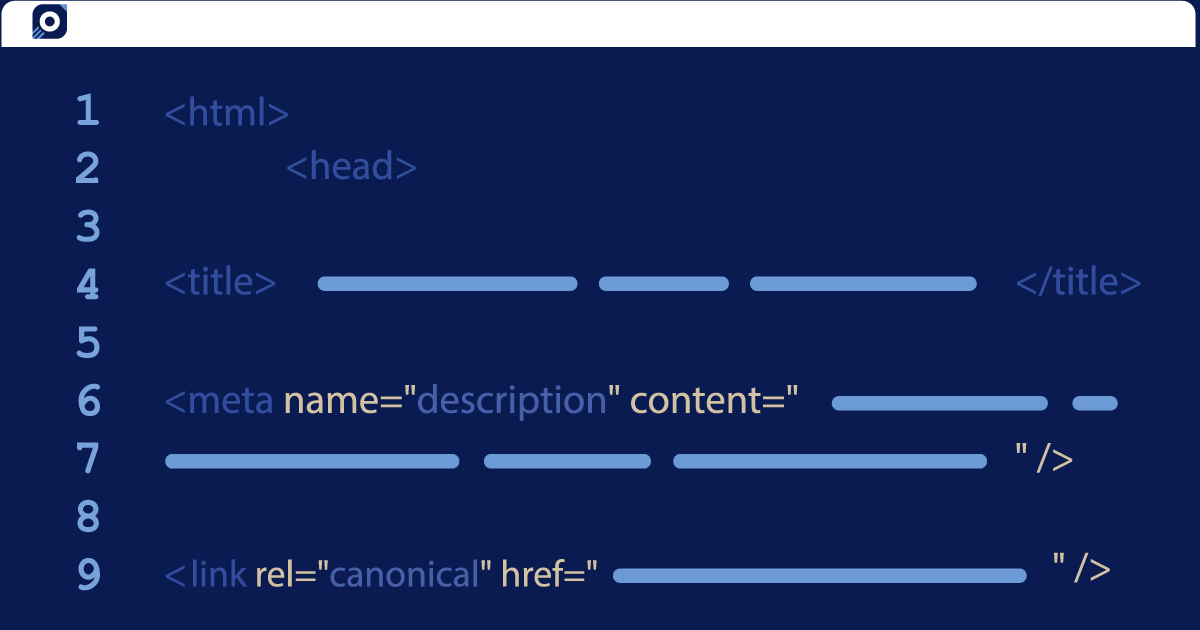
Canonicalization, or canonicalisation for us Brits, is one hell of a long word.
I’d like to tell you the complexity of the word is at odds with the simplicity of its meaning, but that would be misleading.
Canonicalization is a means of indicating to Google which of your pages should take preference. It does this by using the tag rel='canonical'.
Sounds easy enough, but it’s not uncommon to get into a bit of a mess using the canonical tag.
Here, we explore how it is frequently misused, and look at how you can use this tag to your advantage.
What is Canonicalization?
Canonicalization is the process of selecting a representative URL from a group of duplicate or very similar pages, with the rel="canonical" tag being one way to indicate your preferred version.
This is a tag used in html code that helps search engines understand which of your duplicate pages should be considered as the ‘main’ page. When search engines find a canonical tag, they treat it as a strong hint about which version of a page you would prefer them to index.
What is Canonicalization for?
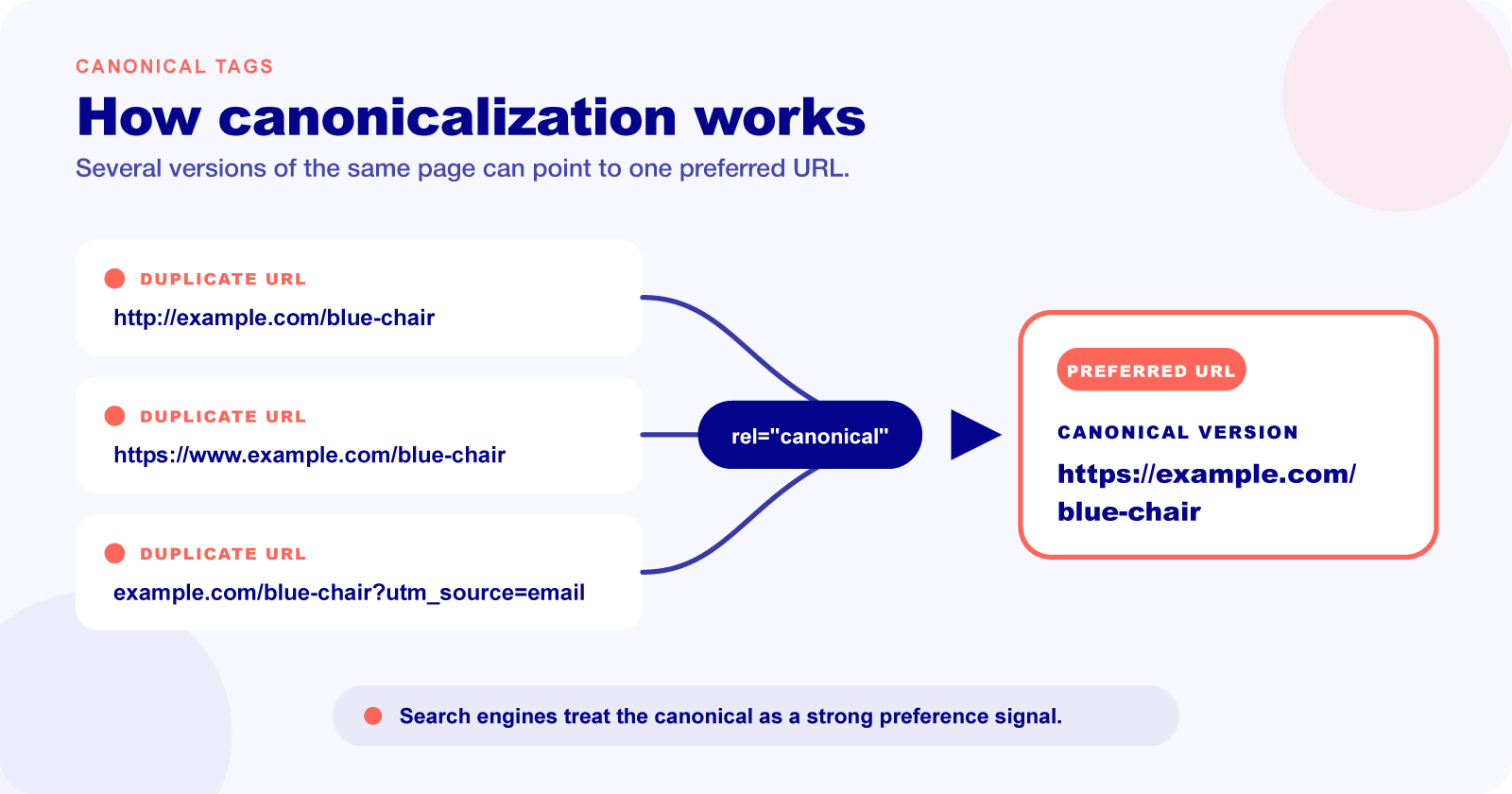
The canonicalization tag was created by Google, Yahoo, and Microsoft, who joined forces to solve the user issue of duplicate or similar content.
It works to signal to the search engine which of the URLs amongst your duplicate content is your main or preferred version, and so this will be the one that is indexed by the search engine.
By using canonical tags, you indicate which URL should be treated as the representative version and where signals such as links should be consolidated.
This can be crucial for SEO, because without the canonical tag your duplicate or similar pages ranking ability can be diluted.
Uses for Canonicalization
It’s not hard to see why canonical tags are often misused and misunderstood.
While they are useful for telling search engines which URL from your duplicate content is intended as the main URL, they cannot always prevent search engines from indexing less desirable pages.
It’s worth remembering that canonical tags are seen as hints to search engines, rather than direct orders, so they may not always be respected.
Canonicalization for Keyword Cannibalization
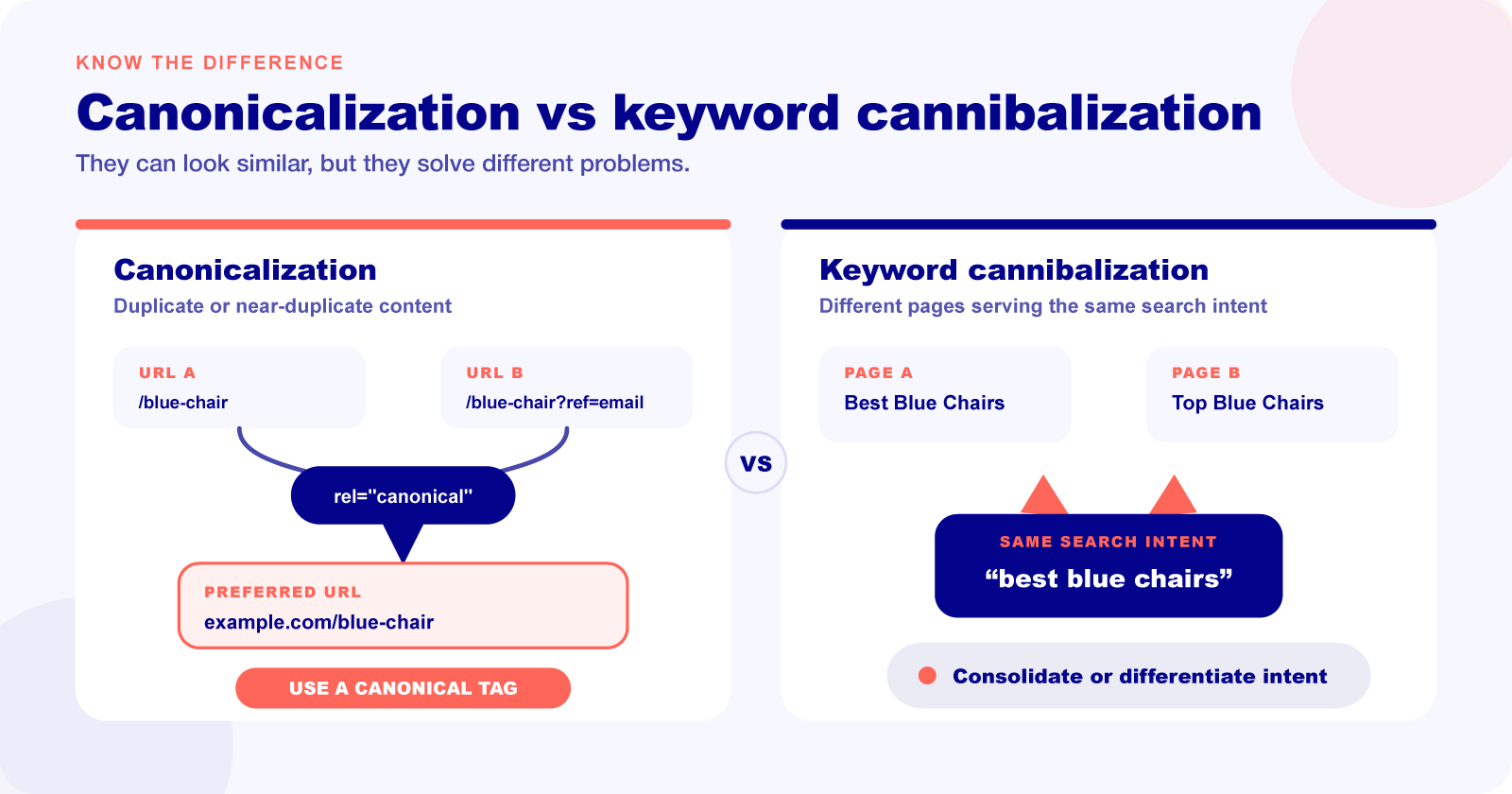
Keyword cannibalization occurs when you have multiple pages that target the same keyword.
This can send mixed messages to search engines about which page should take preference, and in some instances can cause your pages to not rank at all.
It’s sometimes recommended to solve the issue of keyword cannibalization, but pointing search engines in the right direction so they know which page should take priority.
However, canonicalization is not intended for this use, and as a result, it rarely works.
Canonicalization is for URLs which lead to duplicate content, or similar content that is almost identical, for example, a product page that lists products in US dollars and an identical product page that lists products in Canadian dollars.
When you suspect keyword cannibalization across two of your pages, the likelihood is that these pages have a lot of different content, but with the same theme, such as ‘golden retrievers’. In this case, a canonical tag is most likely going to be ignored by a search engine, since the page content is not a duplicate or almost-duplicate. A better resolution in this instance would be to consolidate the two pages into one, or ensure the search intent would be different for each page.
Canonicalization for Homepages
It is a good idea to use the canonical tag for your homepage, because this is one page that you can guarantee users are accessing using different URLs.
For example, your homepage might be accessible through both www.example.com and example.com. Choose one preferred version, redirect the alternative to it and add a self-referential canonical tag to the preferred homepage.
The Do’s and Don’ts of Canonical Tags
Implementing canonical tags is easy once you know what you’re doing. Follow these simple do’s and don’ts to make sure your tags are being used correctly.
Do’s
One Tag Per Page
If a page has more than one canonical tag, the search engine will typically ignore both. While this isn’t the end of the world, it completely negates the point of using the canonical tag in the first place.
Use Full URLs
Be sure to use the canonical tag alongside a full URL. This eliminates the chances of misinterpretation, ensuring your tag is correctly actioned.
For example, use this format:
<link rel=“canonical” href=“https://examplesite.com/about-us/” />Not this format:
<link rel=“canonical” href=”/about-us/” />Use Lowercase
Google has been known to consider an identical uppercase URL and lowercase URL as two different URLs, so it’s best to use lowercase URLs across your site, and implement canonical tags in lowercase as well.
Don’ts
Use ‘noindex’
Using a canonical tag and a noindex tag together doesn’t work.
In most cases, search engines will favour the canonical tag over a noindex tag, but it should still be avoided.
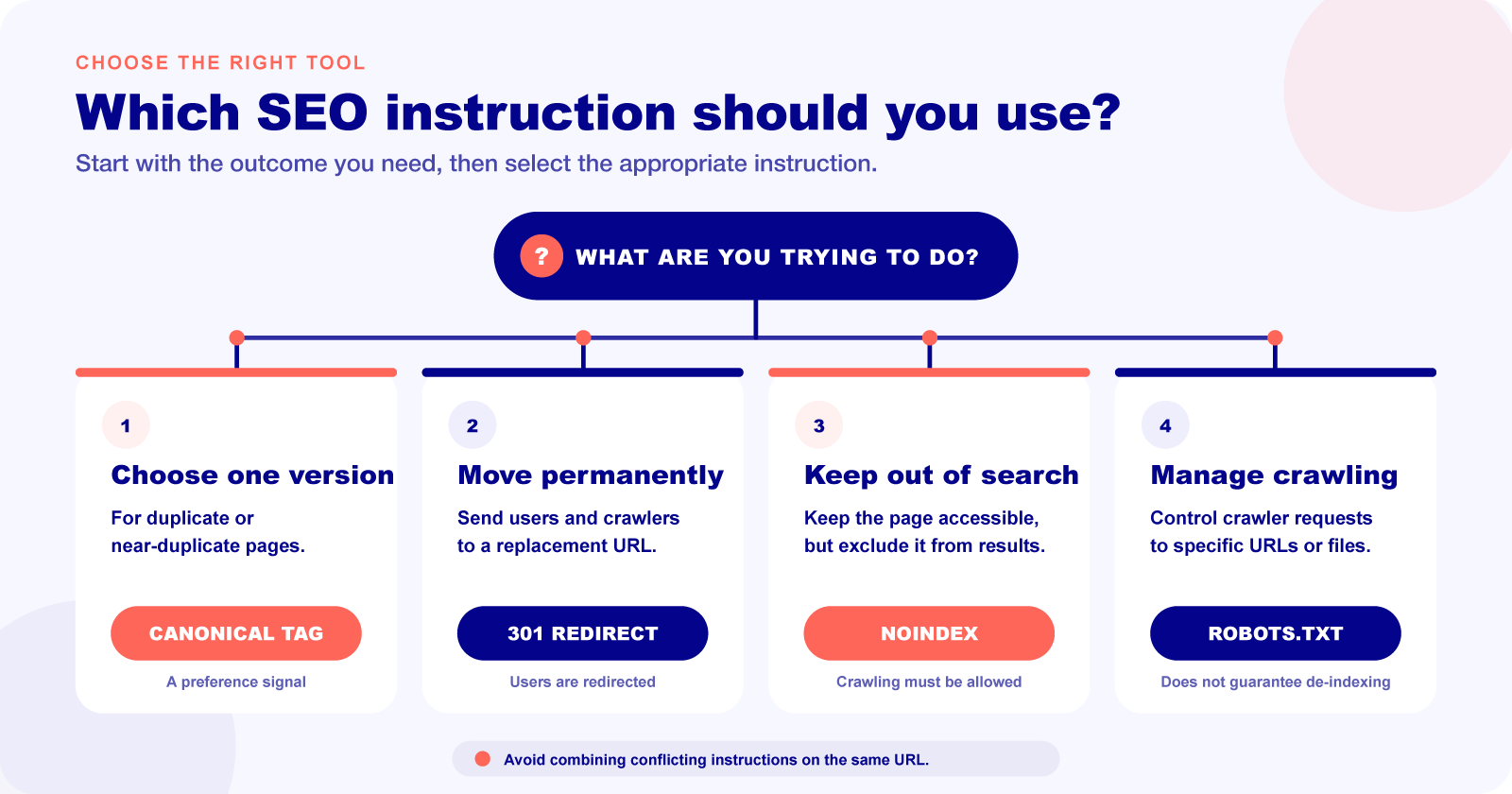
A noindex tag prevents a page from appearing in search results, but Google must still be able to crawl the page to detect the instruction. Avoid combining noindex with a canonical tag; if a duplicate URL is no longer required and users should be sent elsewhere, a permanent redirect is usually the clearer solution.
Insert into Body
A canonical tag inserted into the <body> of a page will be ignored by search engines. To use this tag effectively, it should only be inserted in the <head> section of a page.
Use robots.txt
Google explicitly states: ‘Don’t use the robots.txt file for canonicalization purposes.’ This is because blocking the URL in this way completely prevents Google from being able to crawl it. As a result, any canonical tags will not be viewed or actioned.
Now That We’ve Reached the End
Having an understanding of how to correctly use the canonical tag is going to make the process of optimising your website much easier.
Using canonicalization improperly can have disastrous effects on some sites, for example, it can prevent search engines from being able to crawl and index your page, thereby preventing it from being visible in search engine results.
If you’re still unclear about how to use the canonical tag, it’s best to avoid using it at all to prevent it from being used incorrectly.
